
You’ve booked your trip, packed your bags, and you’re ready to explore. You’re excited. Everything feels perfect. But what if your phone disappears while you’re out seeing the world?
Losing your phone while traveling can cause a lot of problems. Your phone holds important stuff—maps, contacts, money apps, tickets, and photos. It helps you find your way, speak a new language, and stay in touch.
That’s why it’s super important to know how to protect a mobile device while traveling. In this guide, we’ll show you easy and smart ways to keep your phone safe—both from thieves and from digital dangers.
Why You Should Protect Your Phone When You Travel

Thieves Love Phones
Your phone is worth a lot. Not just because of its price, but because of the info it holds. People who steal phones can sell them, but they can also use your data to steal your money or identity.
Travelers are easy targets. They may be distracted, using phones for photos, or confused in busy places. That makes it easy for someone to grab your phone and walk away.
New Places, New Dangers
When you travel, you connect to public Wi-Fi. You might use apps you’ve never used before. You may charge your phone in places you don’t trust. These things can make your phone more open to hacking and damage.
Smart Ways to Keep Your Phone Safe While Traveling
1. Lock Your Phone with a Passcode and Face or Finger ID
One of the best things you can do is to lock your phone. This means that even if someone steals it, they can’t get into it.
Use More Than One Lock
Set up a passcode (not something easy like 1234). Then add face unlock or fingerprint unlock. These are fast and add another level of safety.
2. Never Use Free Wi-Fi Without a VPN
It feels good to use free Wi-Fi in hotels, cafes, or airports. But these networks are not safe. Hackers use them to steal data.
Use a VPN App
A VPN (Virtual Private Network) is like a secret tunnel that keeps your internet use private. It hides what you do and protects your data.
Don’t Do Banking on Public Wi-Fi
Even with a VPN, don’t use public Wi-Fi for online shopping or banking. Wait until you are on a safe network.
3. Back Up Your Data Often
Phones get lost or damaged all the time. If you don’t have a backup, you may lose everything—photos, contacts, notes, and more.
Use Cloud Backup
Set your phone to save your photos and data to the cloud. This can happen every day without you doing anything.
Use a Travel USB Drive
Bring a small USB stick or hard drive. Use it to save a copy of your pictures and files, just in case.
4. Install a Phone Security App
These apps do more than stop viruses. They help find your phone if it’s lost, lock it if it’s stolen, and even erase your data if needed.
Choose an App with:
-
Location tracking
-
Remote lock or erase
-
Malware (virus) protection
-
Safe internet browsing
5. Be Careful Where and How You Use Your Phone
Some people lose phones because they’re not careful. Don’t make your phone an easy target.
Don’t Use It in Crowded or Unsafe Areas
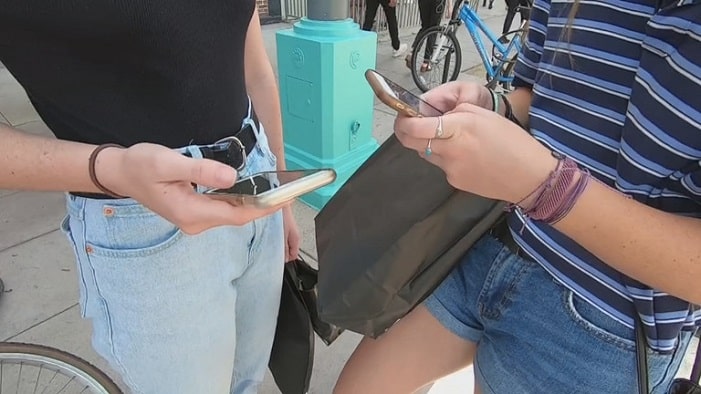
If you’re in a busy market or riding a train, don’t hold your phone in your hand. Go somewhere safe to check it.
Use a Phone Strap or Hidden Pouch
There are special phone straps and bags that make it hard for someone to steal your phone. A crossbody pouch or hidden belt pouch works well.
Lock It Up in Your Hotel
If you’re not using your phone, lock it in the hotel safe. If you’re camping, keep it in a locked travel bag.
6. Turn Off Auto-Connect Settings
Phones often try to connect to the closest Wi-Fi or Bluetooth network. That can be risky when you’re in a new place.
Turn Off Auto Wi-Fi and Bluetooth
This helps your phone connect only when you choose. It keeps fake networks and hackers away.
7. Use Airplane Mode to Save Power and Limit Risks
When you’re not using your phone, switch it to airplane mode. This saves battery and blocks wireless signals.
Airplane Mode = Less Risk
If you’re sleeping, hiking, or just not using your phone, airplane mode keeps it safer and helps your battery last longer.
8. Add Contact Info to Your Phone Case
Write your email or backup number on a sticker and put it on your phone or case. If someone finds your phone and wants to return it, this helps them contact you.
It’s a simple trick that often works!
Extra Tips for Keeping Your Phone Safe Abroad
Be Careful with Charging Stations
Some public USB chargers can steal data from your phone. This is called “juice jacking.”
Always Use Your Own Charger
Use your wall plug or carry a power bank. If you need to use public USB, use a USB data blocker.
Use a Local SIM or eSIM
Using a local SIM helps you save money and keeps your main number more private. eSIMs can be added to most new phones with a few clicks.
Download Offline Tools
Before your trip, download offline maps, language apps, and travel guides. This way, you don’t need internet all the time, which keeps your data safe.
Frequently Asked Questions (FAQs)
Conclusion
Losing your phone while traveling can ruin your plans. But with a few smart steps, you can stay safe and enjoy your trip without worry.
Now you know how to protect a mobile device while traveling. Lock your phone. Use safe networks. Back up your data. Be smart about where you use it. Simple steps go a long way.
Travel safe, and enjoy every moment—without losing your phone or your peace of mind.

